10 Essential Parts of an Office Chair: The Start Guide to Ergonomic Chair Components
In today’s stressful and busy fast-paced office work environment, the office chair you sit on is not just there as furniture, it is also the foundation of your health and productivity. Understanding the components of an office chair can better help you choose the right one to improve your daily productivity. This start guide delves into the 10 essential components of an office chair, revealing how each contributes to comfort, support, and efficiency. Whether you are upgrading your home office or renovating a corporate space, this article will provide you with the knowledge on how to choose office chairs wisely.
Why Understanding Office Chair Parts Matters for Your Health
Sitting for hours in a poorly designed chair can wreak havoc on your body—think back pain, stiff necks, and even reduced focus. That’s where the parts of an office chair come into play. Knowing what each component does empowers you to select a chair that promotes a healthier posture and boosts productivity. Research shows that ergonomic seating can reduce the risk of musculoskeletal disorders by up to 60%, making it a smart investment for your well-being.
The Connection Between Chair Components and Posture Support
Every part of an office chair—from the seat to the backrest—works together to support your body’s natural alignment. Ergonomics, the science of designing for human comfort, ensures these components cradle your spine’s curves, reducing strain and keeping you energized throughout the day.
1. The Seat: Foundation of Comfort and Durability
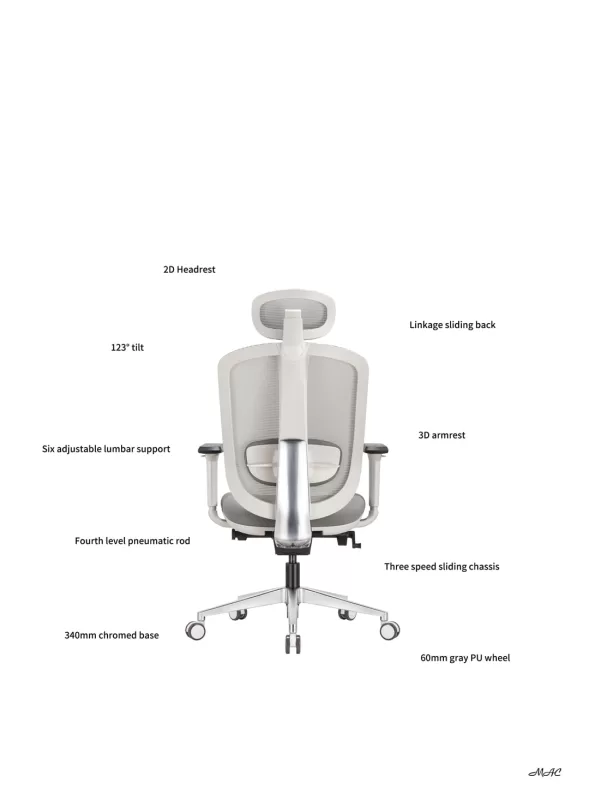
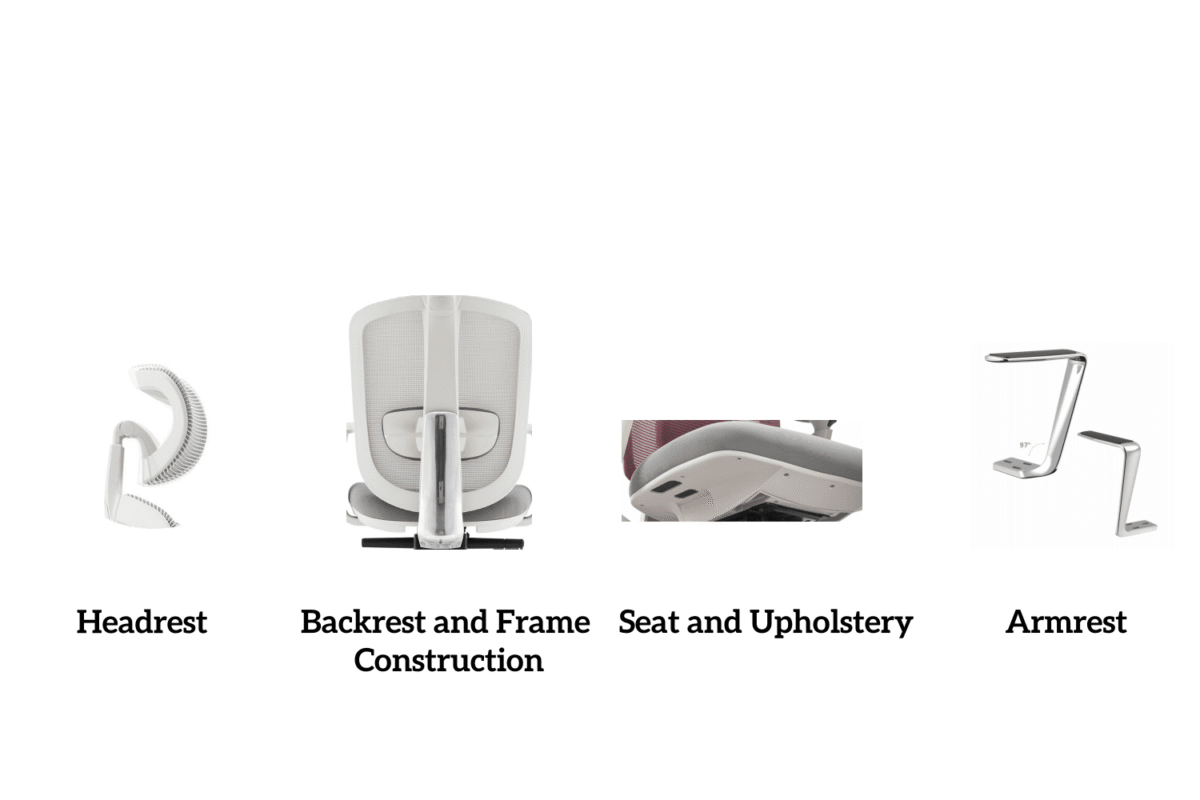
The seat is where your office chair experience begins. It’s the foundation of comfort and durability, designed to support your weight evenly. A well-crafted seat should be about 17-20 inches wide, with a depth that lets your back rest against the backrest while leaving a small gap behind your knees.
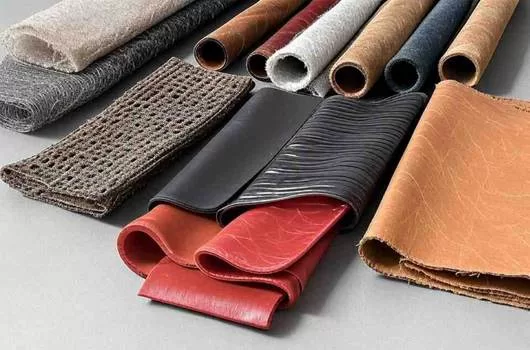
Seat Pan Materials: Foam, Mesh, or Leather?
The material of your seat pan shapes your sitting experience:
Foam: Thick and cushioned, foam offers long-lasting comfort for extended sessions.
Mesh: Breathable and lightweight, mesh keeps you cool in warm environments.
Leather: Sleek and durable, leather adds a professional touch but may lack airflow.
Your choice depends on your priorities—comfort, breathability, or style.
How Seat Depth Adjustments Improve Ergonomics
Adjustable seat depth is one of the ergonomic aspects of seating. By sliding the seat forward or backward, you can customize the seat to fit your leg length, ensuring that your feet are flat on the floor and your back is supported. This adaptability makes it ideal for users of all heights.
2. Backrest Design: Lumbar Support and Spinal Alignment
Backrests play an important role in protecting the health of your spine. An ergonomic backrest provides lumbar support, nurtures the lower curve of the spine, prevents slouching and reduces back pain. Choose a design that conforms to the natural S-shaped curve of the spine for optimal alignment.
Fixed vs. Adjustable Backrests: Which is Right for You?
Fixed backrests: Simple and sturdy, they’re great for consistent support but lack flexibility.
Adjustable backrests: These let you tweak height and angle, offering personalized comfort for varied body types.
If you value customization, an adjustable backrest is the way to go.
The Role of Reclining Mechanisms in Reducing Back Pain
Reclining isn’t just for lounging—it’s a dynamic feature that relieves spinal pressure. By leaning back, you shift your weight and give your lower back a break, making reclining mechanisms a powerful tool for pain relief during long workdays.
3. Armrests: Enhancing Upper Body Comfort
Armrests might seem minor, but they’re vital for upper body relaxation. Properly positioned armrests support your forearms, reducing strain on your shoulders and neck while you type or read.
3D Adjustable Armrests vs. Fixed Designs
Fixed armrests: Basic and budget-friendly, they offer limited adjustability.
3D adjustable armrests: Movable in height, width, and depth, they provide precision support tailored to your tasks.
For desk warriors, 3D armrests offer adaptable comfort.
Why Padded Armrests Are a Game-Changer for Desk Workers
Padded armrests elevate comfort by cushioning your arms against hard surfaces.
This small upgrade relieves fatigue, making the armrests an essential part for those who spend long hours at a desk.
4. Gas Lift Cylinder: Mastering Height Adjustability
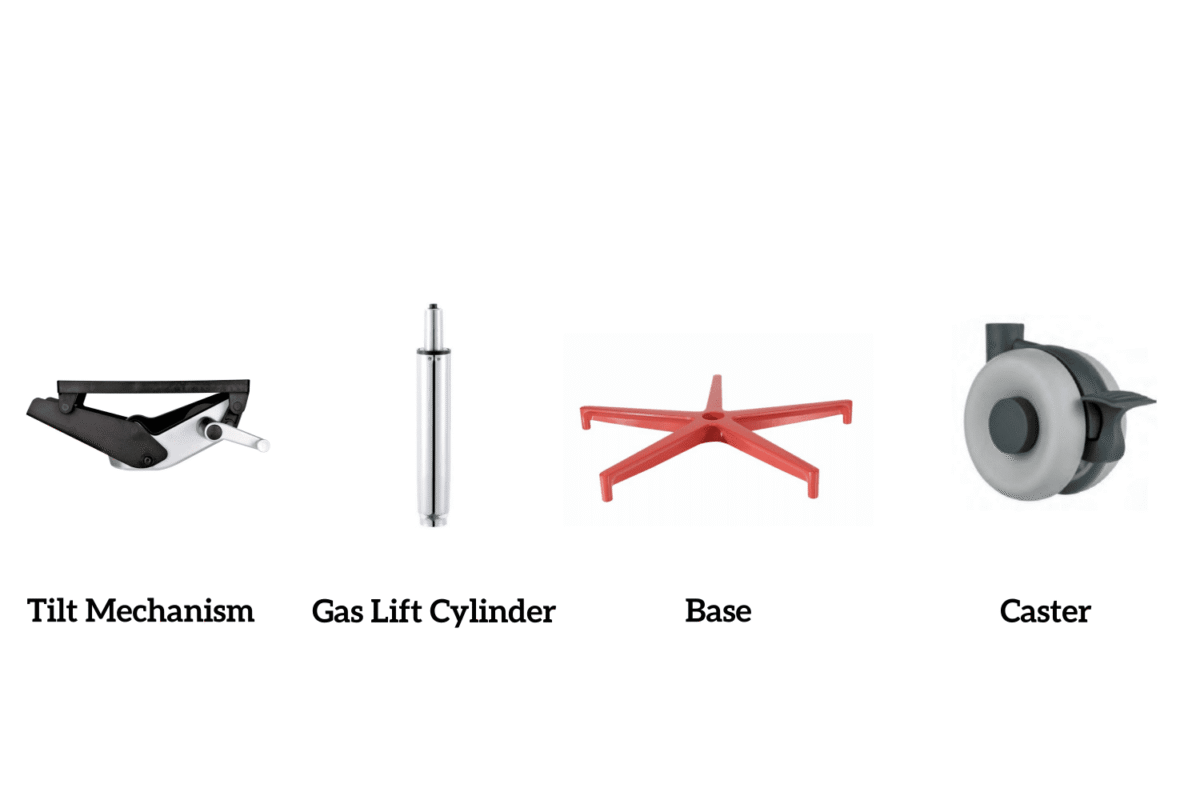
The gas lift cylinder is the magic behind your chair’s height adjustments. With a simple lever, it raises or lowers the seat to align with your desk, ensuring your knees form a 90-degree angle for ergonomic bliss.
5. Base and Casters: Mobility and Stability Combined
The base and casters are your chair’s unsung heroes, blending sturdy support with seamless movement. A five-point base is standard, preventing tipping, while casters let you glide effortlessly.
Nylon vs. Aluminum Bases: Which Offers Better Support?
Nylon bases: Lightweight and cost-effective, they’re ideal for average use.
Aluminum bases: Heavy-duty and robust, they support higher weights with ease.
Choose aluminum for extra durability or nylon for a budget-friendly option.
6. Tilt Mechanism: Customizing Your Sitting Experience
Tilt mechanism is an important component of the office chair connection, is the technology and core of the office chair; it is installed in the swivel chair seat cushion below an important part of the seat cushion, seat cushion lifting, backrest tilting, angle adjustment and other functions are dependent on the mechanism to complete.
How tilt tension adjustment prevents fatigue
Tilt tension controls the tilt of your chair. It is adjusted according to your weight to ensure the right amount of resistance, allowing you to move easily and thus preventing fatigue.
7. Headrest: Neck and Shoulder Support for Long Hours
The headrest is not a standard feature, but it is a lifesaver for neck and shoulder fatigue. It is especially useful when reclining, holding your head in place and reducing tension after a long ride.
Adjustable headrest with built-in design
Adjustable headrest: Versatile and removable, adapts to your height.
Built-in headrest: Fixed but supportive, a simpler option.
For maximum comfort, adjustable headrests provide optimal alignment.
8. Upholstery: Balancing Aesthetics and Functionality
Upholstery ties your chair’s look and feel together. From sleek leather to breathable mesh, it’s about finding the right mix of style and practicality.
Breathable Mesh vs. Cushioned Fabric: Which is Better?
Mesh: Airflow keeps you cool, perfect for warm climates.
Cushioned fabric: Plush comfort adds a cozy touch but may trap heat.
Mesh wins for breathability, while fabric excels in plush comfort.
9. Swivel Function: Maximizing Workspace Efficiency
The swivel function turns your chair into a 360-degree productivity tool. It lets you pivot effortlessly, reaching files or colleagues without twisting your body.
The Importance of a Smooth Swivel for Multitasking
A seamless swivel mechanism enhances multitasking by eliminating friction. Look for ball-bearing designs for the smoothest rotation.
10. Frame Construction: The Hidden Backbone of Your Chair
The frame is your chair’s silent strength, holding everything together. Its material determines durability and weight capacity.
Steel vs. Plastic Frames: Durability Compared
Steel frames: Industrial-grade and long-lasting, they handle heavy use.
Plastic frames: Lightweight but less robust, they suit lighter loads.
Steel is the go-to for a chair that lasts.
How to Maintain Your Office Chair Parts for Longevity
A little care goes a long way. Vacuum upholstery, lubricate casters, and tighten bolts regularly to keep your chair in top shape and prolong its life.
Cleaning Tips for Upholstery and Mechanical Components
Upholstery: Wipe leather or vacuum mesh/fabric for a spotless finish.
Mechanical parts: Use a dry lubricant on tilt mechanisms and casters to keep them well-maintained.
Common Office Chair Problems and How to Fix Them
Chairs wear down over time, but quick solutions can save the day:
Squeaky casters: Silence them with lubricant.
Loose armrests: Tighten screws for stability.
Wobbly base: Check and secure bolts.
Choosing the Right Office Chair Components for Your Needs
Tailor your chair to your lifestyle. Prioritize ergonomic features like lumbar support and adjustability, then find a model that fits your budget for the perfect fit.
Ergonomic Features vs. Budget: Striking the Balance
High-end chairs offer premium features, but affordable models with key adjustments can still deliver high-value comfort without breaking the bank.
Final Thoughts: Invest in Office Chairs with Quality Chair Parts to Ensure Daily Comfort
Your office chair is more than a seat—it’s a life-changing tool for daily comfort. By investing in quality components, you’re setting yourself up for a healthier, more productive workday.
FAQs: Your Office Chair Components Questions Answered
“What Part of an Office Chair is Most Important for Posture?”
The backrest, with its lumbar support, is critical for posture-boosting alignment and preventing slouch-related pain.
“Can I Replace Broken Chair Parts Myself?”
Yes! Casters, armrests, and even gas lifts are DIY-friendly with basic tools, though complex repairs might need expert insights.
This guide to the parts of an office chair offers everything you need to create a workspace that’s both comfortable and supportive. Make the smart choice—your body will thank you!